
What Am I Doing With AI These Days?
It's been a while since I posted about my personal use of AI. I've been very busy. Below is a list of things I have been using it for, in case someone is curious.
1. Ditching Wordpress
This website, People's Policy Project, and my wife's website have all historically run on WordPress, hosted by Nearly Free Speech. I don't really like Wordpress, but it is the industry standard and the path of least resistance for most things.
AI coding agents now make it easy to build and maintain a custom website, including a somewhat complicated one involving a content management system (CMS). So I switched all three sites away from WordPress.
My wife's website was converted to a simple static site.
This website and People's Policy Project now run on a very similar "stack" of Python, Flask, nginx, and markdown files for holding the content. This includes a custom CMS that is WordPress-like but simpler and made to work exactly the way I want it to.
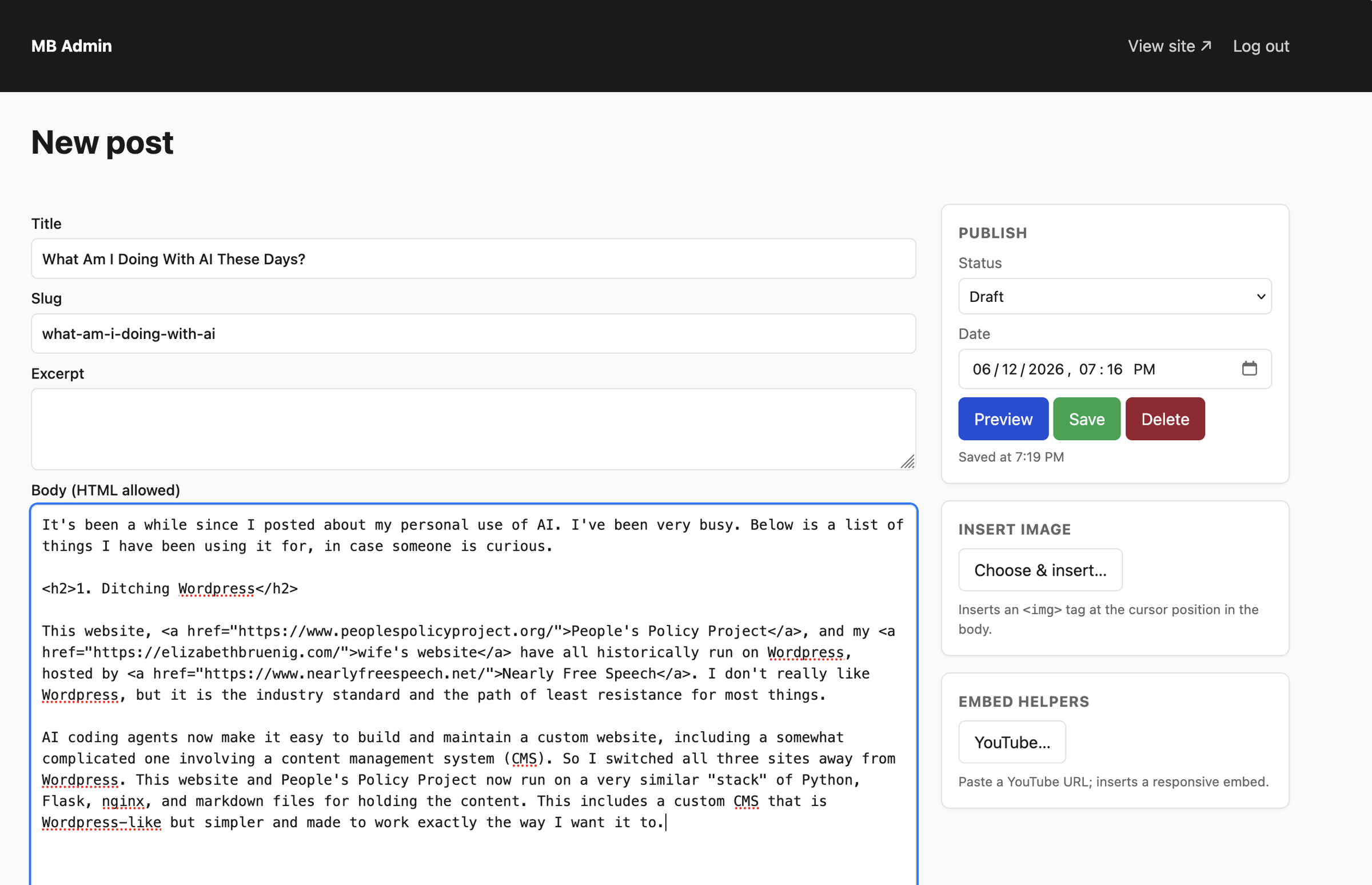
Whenever I want to change the CMS — such as recently when I wanted to be able to add images to a post by dragging and dropping them — I can just SSH into the server, fire up Claude Code or Codex, explain what I want, and it makes it happen. Similarly, if I want to edit a piece after drafting it, to catch grammar, spelling, and typographical mistakes, I can have an LLM harness look at it, make suggestions, and tell it which ones to implement. I do that for all of my pieces now, including this one.
I am able to manage all these lighter, simpler sites on the same server that runs my NLRB Research website, which saves me several hundred dollars a year in hosting fees.
2. Microdata Analysis
I wrote a lot of statistical programming code over the last 15 years or so. I would never get rid of any code I wrote because, if I found myself doing something similar later, I could use it as a reference. This has proven to be a very valuable resource in setting up my new way of doing microdata analysis orchestrated entirely through AI coding agents.
In my new approach, I have assembled a neatly organized directory of microdata sets along with a set of markdown files containing instructions about how to use each set and a shared theme for making graphs out of the data.
I'll spare you the details, but what this all allows me to do is start up a Claude Code session inside that directory and quickly produce figures and graphics on pretty much anything covered by commonly-used microdata sets. For example, below is a graph I produced using the American Time Use Survey that shows how Sunday TV viewing goes up during the NFL season. I did this solely by prompting Claude Code.
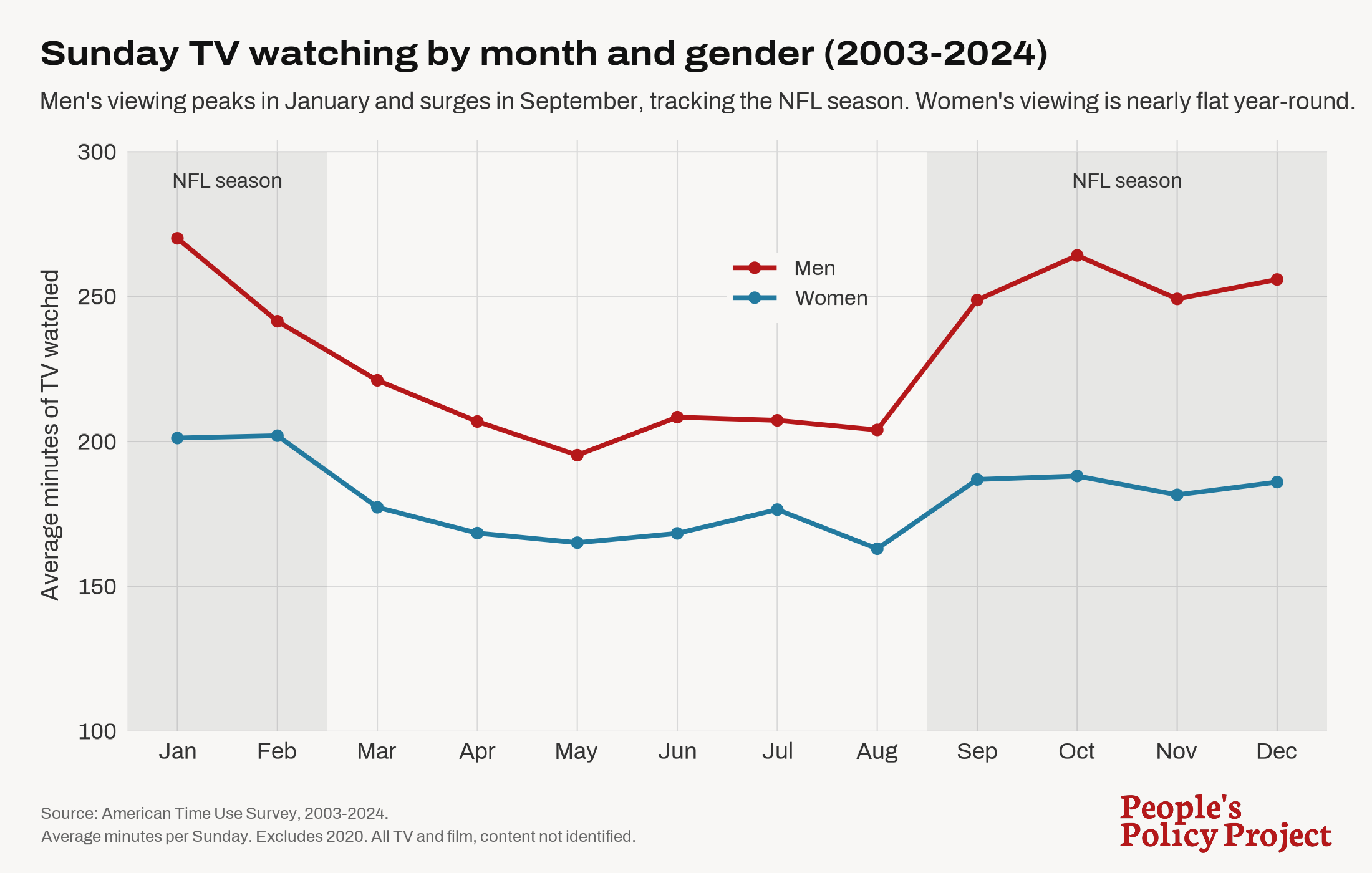
Previously, to make graphs like this, I would copy the figures into a Google Sheet and use its graphing wizard.
3. Podcast Stuff
I have a regular podcast called The Bruenigs. It is mostly a live-to-tape type of thing, with minimal editing, but I do try to make sure the audio quality meets the podcast standard people are used to. Previously, I used a paid service called Auphonic to normalize sound, convert the WAV to an MP3, and handle other post-processing. Now I just prompt Claude to do all of this with FFmpeg. This includes cutting things out and also readying audio clips from elsewhere on the internet. This has saved me a little over $100/year while also making my process faster and easier.
4. Procedural Rules
One thing I really hate about litigating, which I find myself doing more and more these days, is all the little procedural rules. If you are litigating in the Eastern District of California, for instance, you will need to follow the Federal Rules of Civil Procedure, the Local Rules for the EDCA, and the rules for the specific EDCA judge you are assigned. Taken together, this amounts to around 500 pages of overlapping rules that govern often very tedious things like footer formatting. What I do for my cases now is throw all of those rules into a NotebookLM notebook and then work within that system to get assistance with following the rules. So, for instance, before I file a pleading in a case, I will put it in my NotebookLM instance and ask it if it is rule-conforming. This is a good way to find any mistakes you made that go against one of the many hundreds of little rules and then fix those before you file.
I gather law firms have associates and paralegals for that sort of thing. I do not.
5. Digesting Exhibits and Other Document Dumps
During various parts of litigation, opposing parties will send you a bunch of documents. This might be as a response to discovery requests or as part of exchanging exhibits. It can be very tedious to go through all of these documents and especially to create an index or summary of each of them, which is often necessary to make them useful. One thing I often do these days is just point Claude Code or Codex to the directory with the documents and ask it to create a spreadsheet that contains the name of each document, a brief summary of its contents, and even a brief guess at how the document might be used in the case. For the latter bit of information, it's useful to include in your prompt what the case is about and other context that can help it make a good guess.
This sort of initial summarizing and organizing makes it much faster to go through the documents and to reference and use the documents effectively later.
6. Legal Research
I have discussed this before, but my main accomplishment using AI tools remains my NLRB Research AI Assistants. I have created a comprehensive self-updating database of documents related to the National Labor Relations Act and National Labor Relations Board, as well as a Skill file to be used by LLM harnesses (generally Claude but the Skill file is technically harness and model agnostic) to search through those documents to answer NLRB and NLRA questions. I have done the same thing for the LMRDA, MSPB, and CA PERB, as well as created a similar tool for looking through collective-bargaining agreements.
I started selling subscriptions to these tools a few months ago and currently have 26 subscribers — a mix of individuals, unions, and union-side law firms that together pay $22,860 per year.
In addition to making money on subscriptions, I personally use the tool all of the time. A lot of the day-to-day life of providing legal services to unions — whether as outside counsel or on staff — is to answer discrete little questions about whether this or that thing is protected or illegal or similar. And the NLRB Research tools are excellent at that, in addition to being a good way to find legal authorities for more significant legal writing.